
 APK
APK
Panda Gamepad Pro v15
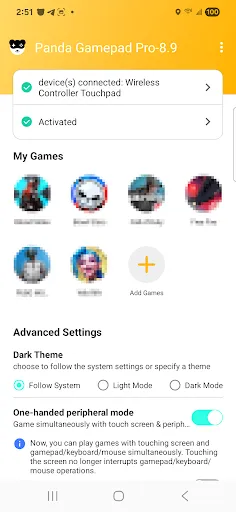
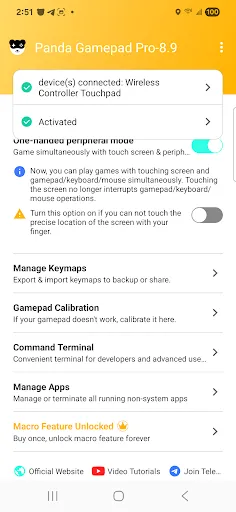
Panda Gamepad Pro maps touchscreen controls to a gamepad, keyboard, or mouse so you can play Android games with physical controls.
View on Google Play
Opens the Google Play listing
Official store link
Version
15
File Size
25 MB
Developer
Panda Gaming Studio
Screenshots & Preview
Click any image to view in full screen
Frequently Asked Questions
Common inquiries regarding Panda Gamepad Pro installation & verification
What is Panda Gamepad Pro used for?
Panda Gamepad Pro maps touchscreen controls to a gamepad, keyboard, or mouse so you can play Android games with physical input devices.
How does Panda Gamepad Pro work?
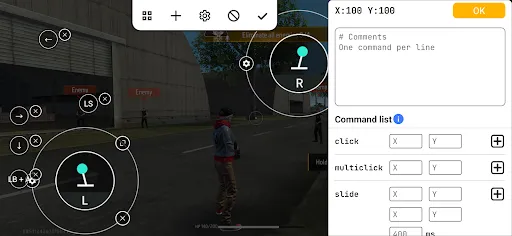
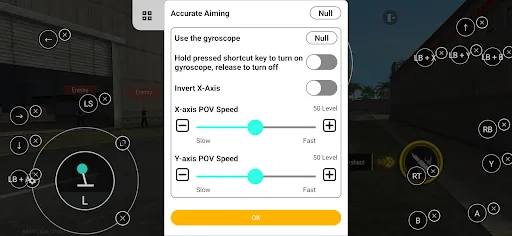
You create custom button layouts, place virtual control points on the screen, and assign them to buttons on your controller or keys.
Which controllers does Panda Gamepad Pro support?
It is built to work with many external gamepads, and in some cases keyboard and mouse setups on compatible Android devices.
Are there any downsides to Panda Gamepad Pro?
Setup can take time, some games need manual adjustments, and compatibility can vary by game, device, or Android version.
Who should use Panda Gamepad Pro?
It is best for Android players who want more comfortable controls in mobile games, especially people who prefer a controller over touchscreen input.
Similar & Recommended
Other popular downloads in this category






Panda Gamepad Pro
Tools · 25 MB